Understanding Objects in JavaScript
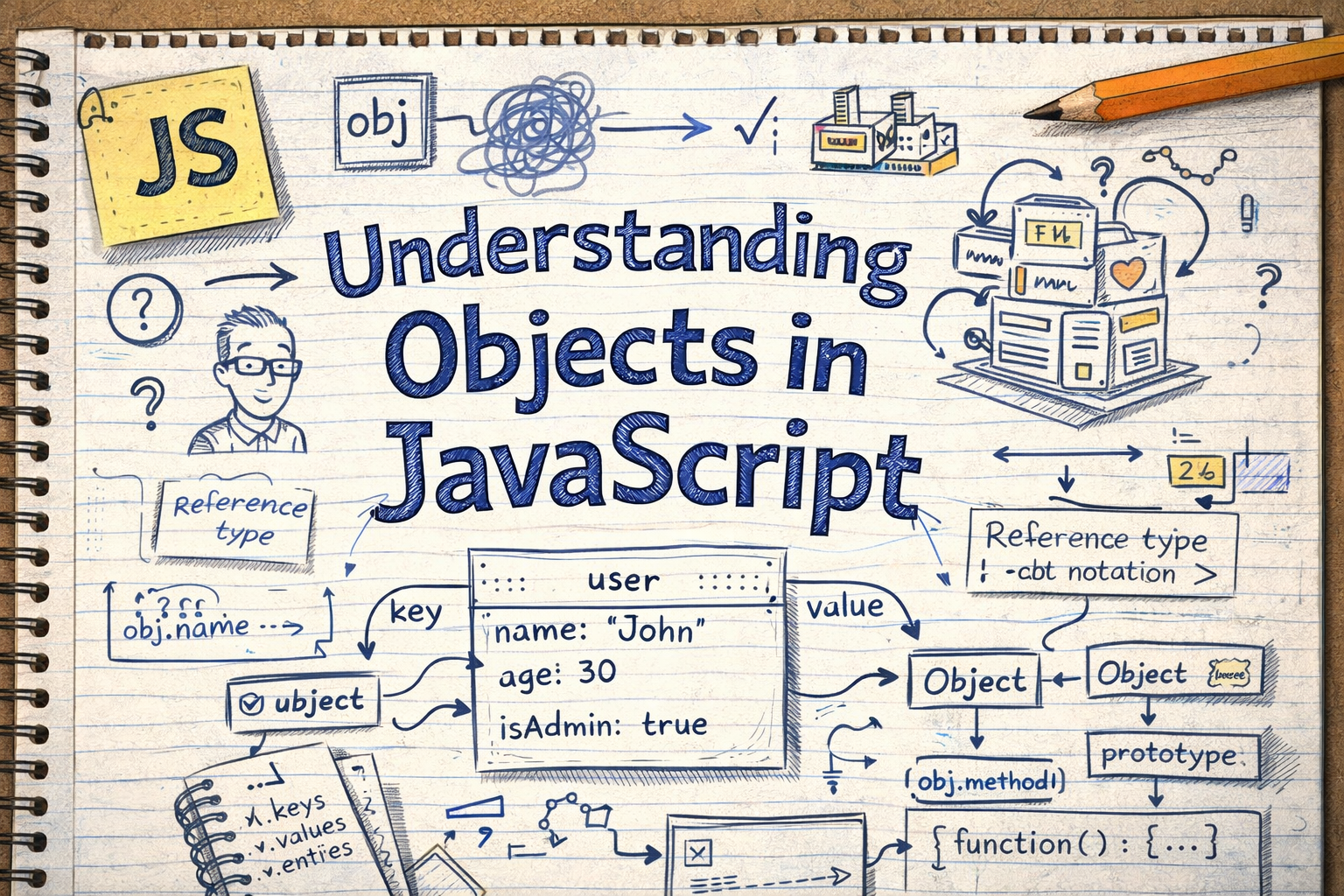
(Without Losing Your Sanity)
When people start learning JavaScript, everything feels pretty smooth at first.
Variables? Easy.
Arrays? Manageable.
Then objects show up.
Suddenly you're looking at curly braces {} and strange key: value pairs wondering:
"Why does this look like a tiny database?"
Relax. Objects are actually one of the most useful and logical things in JavaScript. Once they click, your code starts feeling a lot more like real life.
And that's exactly how we're going to understand them today.
Imagine a Person's Profile
Think about how you would describe a person.
If someone asks you about your friend Alex, you might say:
Name: Alex
Age: 25
City: Delhi
That information naturally forms a set of labeled data.
This is exactly what an object is in JavaScript.
An object stores related information using labels (keys) and values.
So the same information in JavaScript looks like this:
const person = {
  name: "Alex",
  age: 25,
  city: "Delhi"
};
Think of it like a digital profile card.
person
 ├─ name → Alex
 ├─ age → 25
 └─ city → Delhi
Each label (name, age, city) is called a key, and the information attached to it is the value.
This structure is called a key-value pair.
Why Do We Even Need Objects?
Imagine trying to store the same information using variables.
const name = "Alex";
const age = 25;
const city = "Delhi";
This works… but now imagine managing hundreds of users.
Suddenly your code looks like:
name1
age1
city1
name2
age2
city2
Chaos.
Objects solve this by grouping related data together.
const person = {
  name: "Alex",
  age: 25,
  city: "Delhi"
};
Now everything about Alex lives inside one container.
Clean. Organized. Logical.
Like putting all your cables in a box instead of leaving them tangled behind your desk.
Arrays vs Objects (The Important Difference)
A lot of beginners confuse arrays and objects. Here's the easiest way to understand the difference.
Array
Arrays store data by position.
const fruits = ["apple", "banana", "mango"];
Index → Value
0 → apple
1 → banana
2 → mango
You access items by their index number.
fruits[0] // apple
Object
Objects store data using labels (keys) instead of positions.
const person = {
  name: "Alex",
  age: 25,
  city: "Delhi"
};
Key → Value
name → Alex
age → 25
city → Delhi
You access values using the key name.
Quick Comparison
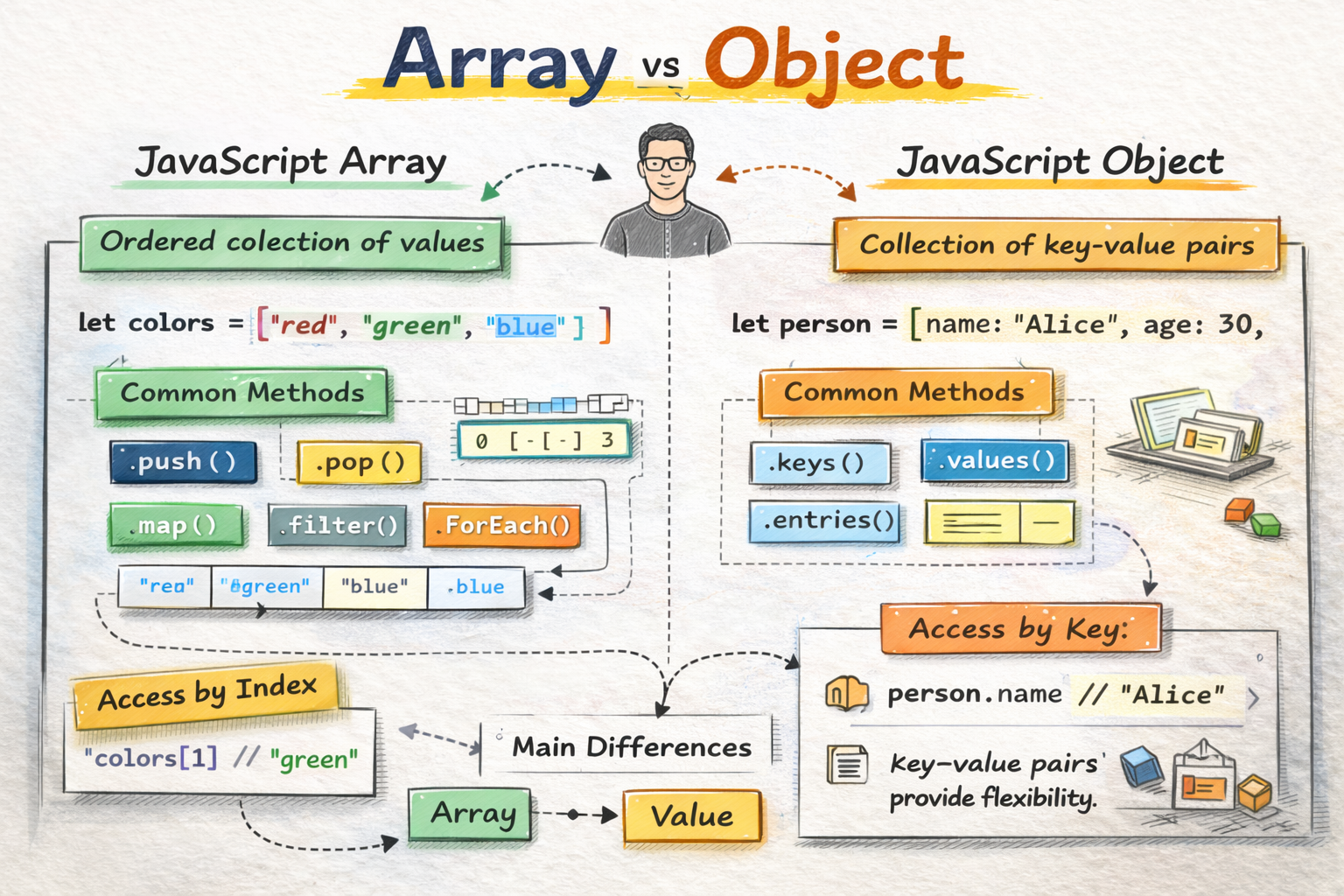
If arrays are numbered lockers, objects are labeled drawers.
Creating Objects
Creating an object in JavaScript is simple.
You use curly braces {}.
const person = {
  name: "Alex",
  age: 25,
  city: "Delhi"
};
Structure:
key: value
Example breakdown:
name → "Alex"
age → 25
city → "Delhi"
Each pair is separated by a comma.
That's it. That's the entire structure.
Accessing Object Properties
Now the important question.
How do we get the information out of the object?
JavaScript gives us two ways.
1. Dot Notation (Most Common)
person.name
Output:
Alex
Example:
console.log(person.age);
Output:
25
Dot notation is clean and readable, so developers use it most of the time.
2. Bracket Notation
The second method uses square brackets.
person["city"]
Output:
Delhi
Example:
console.log(person["name"]);
When Is Bracket Notation Useful?
Bracket notation becomes powerful when the key is stored inside a variable.
const key = "age";

console.log(person[key]);
Output:
25
This trick is incredibly useful in dynamic programs.
Updating Object Properties
Updating an object is easy.
You simply assign a new value.
person.age = 26;
Now the object becomes:
{
  name: "Alex",
  age: 26,
  city: "Delhi"
}
Think of it like editing someone's profile information.
Adding New Properties
Objects are flexible. You can add new information anytime.
person.profession = "Developer";
Now the object looks like:
{
  name: "Alex",
  age: 26,
  city: "Delhi",
  profession: "Developer"
}
It's like updating your LinkedIn profile with a new job.
Deleting Properties
Sometimes information becomes irrelevant.
JavaScript lets you remove it.
delete person.city;
Now the object becomes:
{
  name: "Alex",
  age: 26,
  profession: "Developer"
}
Gone. Clean. No drama.
Looping Through Object Keys
Often you'll want to look at every property inside an object.
JavaScript gives us the for...in loop for this.
Example:
const person = {
  name: "Alex",
  age: 25,
  city: "Delhi"
};

for (let key in person) {
  console.log(key, person[key]);
}
Output:
name Alex
age 25
city Delhi
What happens here?
The loop grabs each key
Then we access the value using
person[key]
This is extremely useful when working with real data.
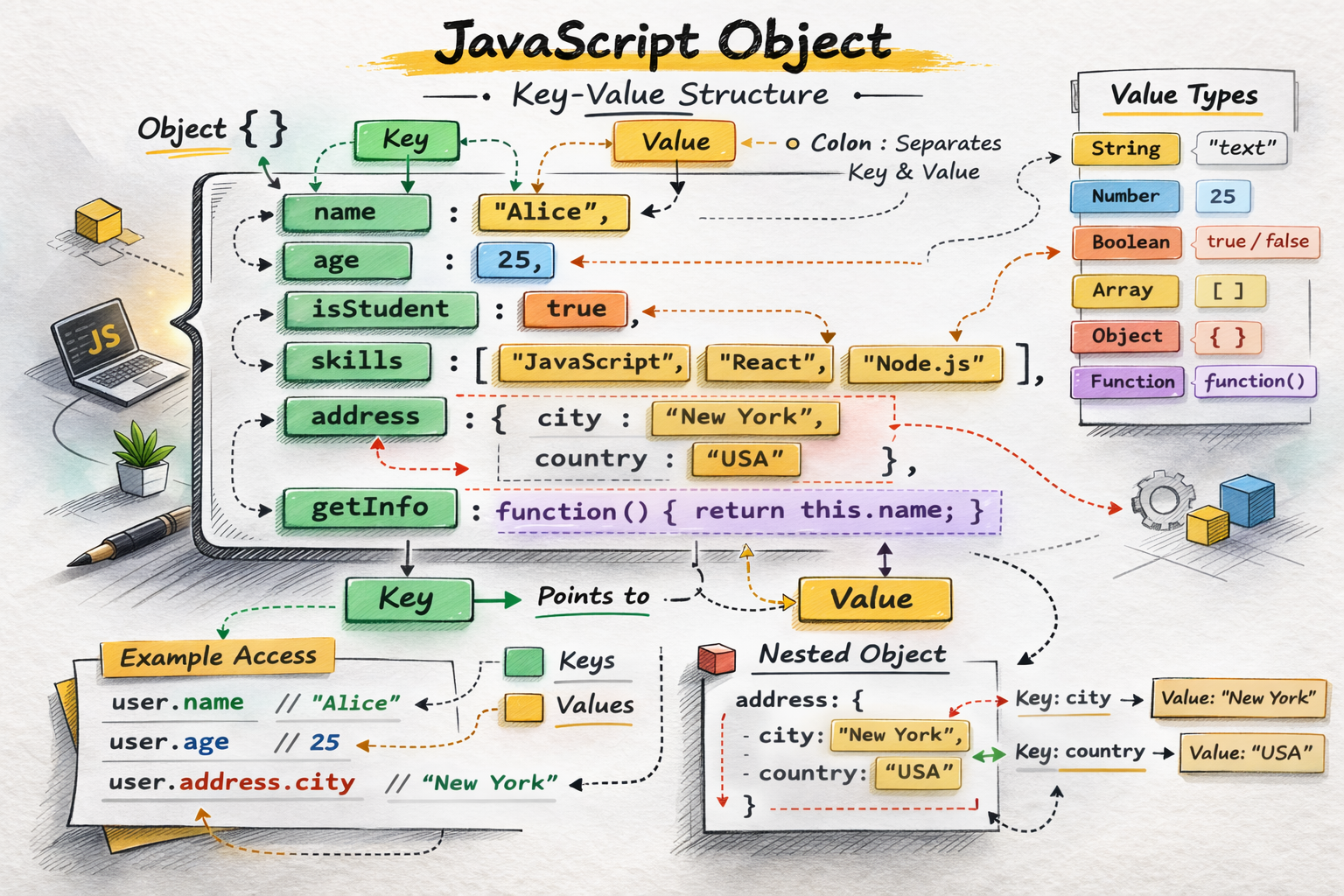
A Simple Visual of an Object
Imagine an object like a labeled storage box.
person
 ├── name → Alex
 ├── age → 25
 └── city → Delhi
Each label helps JavaScript find the correct value instantly.
Key Value Structure
A Small Tip Most Beginners Don't Know
Here is a very handy trick.
You can quickly check if a property exists in an object using the in operator.
Example:
"name" in person
Output:
true
Example:
"salary" in person
Output:
false
This becomes extremely useful when working with APIs and dynamic data.
Think of it as asking:
"Does this drawer exist before I try to open it?"
Clean and safe.
Assignment Practice
Try this small exercise to strengthen your understanding.
Step 1: Create a Student Object
const student = {
  name: "Riya",
  age: 21,
  course: "Computer Science"
};
Step 2: Update a Property
Change the age.
student.age = 22;
Step 3: Add a New Property
student.city = "Mumbai";
Step 4: Print All Keys and Values
for (let key in student) {
  console.log(key, student[key]);
}
Expected output:
name Riya
age 22
course Computer Science
city Mumbai
Final Thoughts
Objects are one of the most important building blocks in JavaScript.
They allow us to represent real-world things like:
Users
Products
Orders
Profiles
Settings
Once you understand objects, JavaScript suddenly feels much more powerful.
And the funny thing?
You’ll start seeing objects everywhere in programming.
Because most real-world data is basically just structured information with labels.
Exactly like objects.